When choosing a business internet provider, most companies focus on download speeds, pricing, or availability. But what really matters—what affects your bottom line long after the sale—is in the fine print.
Understanding business internet contracts is essential for avoiding hidden fees, frustrating service limitations, and long-term commitments that don’t serve your needs. Here’s how to review the contract like a pro—before you sign.
1. Understand the Service-Level Agreement (SLA)
A Service-Level Agreement (SLA) outlines the guarantees your provider makes—like minimum uptime, speed, and response times for outages.

Look for:
-
Uptime guarantees (e.g., 99.9% vs. 99.99%)
-
Repair and response timelines
-
Performance penalties (will they credit you if service is interrupted?)
If there’s no SLA, that’s a red flag—especially for businesses that rely on uninterrupted connectivity.
Click here to learn more about SLAs
2. Watch for Auto-Renewals and Early Termination Clauses
Many business internet contracts auto-renew without notice, locking you in for another year or more—even if better deals become available.
Questions to ask:
-
When does the contract expire?
-
Is auto-renewal automatic?
-
What are the penalties for cancelling early?
Knowing these terms helps you negotiate better or switch providers when it makes sense.

Read More, Compare: Business Internet Providers in Canada – Who’s the Best for You?
3. Clarify “Unlimited” vs. “Metered” Usage
Some plans claim to be “unlimited,” but hide restrictions in the fine print. This might include:
-
Speed throttling after a certain amount of usage
-
Data caps with overage fees
-
Limited upload speeds
Check whether you’re truly getting unlimited service—or if performance dips during peak hours.

4. Equipment & Installation Fees Only Outlined in the Business Internet Contract Terms
That “free modem rental” or “no install fee” might only apply if you stay for the full term—or it could be bundled into your monthly price.

Ask about:
-
Equipment rental vs. purchase options
-
Modem and router compatibility
-
Return policies (and fees for not returning)
This can save you hundreds in unexpected costs over the life of your plan.
5. Support & Downtime Policies
Does your business internet contract terms include business-grade support? Not all plans do. Look for:
-
24/7 technical support availability
-
Onsite repair timelines
-
Backup or failover options
If internet downtime hurts your business, prioritize providers that back up their promises with service guarantees.
Read More: What Uptime Really Means (And How to Ask for It)
6. Review the “Extras” Line by Line and Know Your Business Internet Contract Terms
Some business internet terms include vague charges labeled as:
-
“Network fees”
-
“Priority access” packages
-
“Infrastructure contributions”
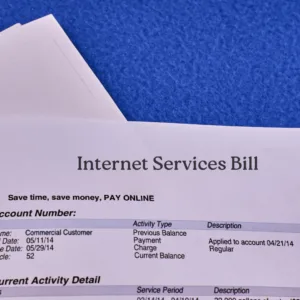
These can drive up your monthly bill—without adding real value.
Ask for a detailed breakdown, and don’t hesitate to question every unfamiliar line item.
Final Thoughts: Don’t Agree to Your Business Internet Contract Terms Blind—Read Smart
Before you sign anything, take the time to review your business internet terms line by line. Better yet, get expert help.
At LAL Group, we help businesses like yours cut costs and avoid surprises. We compare the top Canadian providers—Rogers, Bell, Telus, TeraGo, and more—to find the best-fit plan based on real usage, not guesswork.
👉 Ready to avoid costly mistakes? Book a free consultation and we’ll do the fine print reading for you.
Want more tips?
Check out our Business Internet Checklist to ensure your plan is optimized for speed, cost, and reliability.