Is Your Business Internet Slowing You Down or Costing You Too Much?

Many businesses overpay for internet plans they do not need or experience slow speeds and outages that hurt productivity. Choosing the right internet plan can be confusing, but using a business internet checklist ensures you have the right speed, bandwidth, and provider for your needs.
This article will help you evaluate your current plan, compare providers, and optimize performance so your business can run smoothly without unnecessary costs.
Grab a free checklist for your business internet here
Step 1: Evaluate Your Business Internet Speed & Bandwidth

One of the most common mistakes businesses make is choosing the wrong balance of speed and bandwidth.
Checklist for Business Internet Speed and Bandwidth:
- Run a speed test using a reliable tool like Speedtest.net to check real-time performance.
- Compare your actual speeds to what your provider advertises.
- Assess whether your bandwidth supports all employees and devices.
- Monitor peak usage times to determine if your business internet slows down due to network congestion.
If your internet slows down despite high-speed service, your business may need more bandwidth, not just more speed. Learn more in our bandwidth vs. speed article
Step 2: Identify Your Business Internet Needs
Not all businesses require the same internet setup. Your daily operations, employee count, and industry determine your optimal plan.
Checklist for Business Internet Requirements:

- Determine how many employees and devices require an internet connection.
- Identify if you use cloud-based software (Google Drive, Microsoft 365, CRM systems).
- Assess if your team relies on VoIP phone services or video conferencing.
- Check whether you need symmetrical speeds (equal upload and download speeds) for file sharing and cloud storage.
If your business relies on cloud-based applications, your upload speed matters as much as your download speed. Make sure your plan supports your data needs.
Step 3: Review Your Current Business Internet Plan
Many businesses unknowingly overpay for features they do not need or get stuck in long-term contracts with hidden fees.
Checklist for Evaluating Your Business Internet Plan:

- Check your contract for renewal terms and hidden fees.
- Look at your monthly bill to identify unnecessary charges.
- Review your download and upload speeds and compare them to other available plans.
- Verify if your provider throttles speeds at certain usage levels.
If you have not reviewed your internet contract in over two years, you may be paying outdated rates. It might be time to compare internet providers for a better deal.
Step 4: Compare Providers
If your internet is expensive, slow, or unreliable, switching to a new provider could save your business time and money.
Checklist for Choosing the Best Business Internet Provider:
- Compare pricing, speed, and contract terms from at least three providers.
- Check customer reviews for reliability and customer service ratings.
- Verify if providers offer fiber, cable, or DSL business plans in your area.
- Ask if they provide guaranteed uptime and SLAs (Service-Level Agreements).
- Find out if they offer dedicated business plans instead of shared consumer-grade internet.
The best business internet provider is not just the cheapest—it is the one that provides consistent speeds, reliable uptime, and excellent customer support.
Step 5: Optimize Your Business Network for Maximum Performance
Even if you have the best business internet plan, your internal network setup can impact speed and reliability.
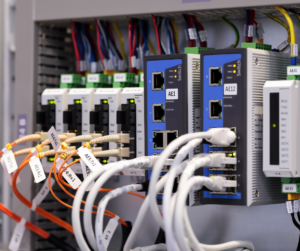
Checklist for Optimizing Business Internet Performance:
- Upgrade your modem and router if they are more than three years old.
high-priority devices should connect with wired Ethernet connections. - Create a guest WiFi network to prevent visitors from slowing down your primary connection.
- Place your router in a central location to improve coverage and reduce dead zones.
If your internet speed is still inconsistent, your network hardware may be the bottleneck. Ensure your router can handle the bandwidth you are paying for.
Step 6: Secure Your Connection
A slow or compromised internet connection can put your business at risk of data breaches and security threats.
Checklist for Business Internet Security:

- Enable firewalls and encryption to secure your data.
- Set strong passwords for your WiFi and change them regularly.
- Implement multi-factor authentication (MFA) for cloud-based applications.
- Regularly check for unauthorized devices on your network.
- Use a VPN (Virtual Private Network) for remote employees accessing sensitive data.
Cybersecurity threats can affect businesses of any size. Ensuring a secure, reliable connection is just as important as speed and bandwidth.
Final Thoughts: Is Your Business Internet Meeting Your Needs?
Using this business internet checklist, you can evaluate your current plan, compare providers, and ensure your internet meets your company’s demands.

If your business is paying too much for unreliable service, or if you are unsure whether you need more speed or bandwidth, LAL Group can help.
Want a free business internet review?
Book a consultation today to see if you are overpaying for internet that does not meet your needs.
Click here to schedule a call.
Key Takeaways
- Check your internet speed and bandwidth needs before upgrading.
- Review your contract for hidden fees and outdated pricing.
- Compare multiple providers to find the best service for your business.
- Optimize your network hardware to improve performance.
- Secure your internet connection to protect sensitive data.